If you think vectors from Vecteezy are cool. Here is another website that you will probably find fascinating too. From the same team that managed Vecteezy comes another website that you will surely like.
One of Vecteezy's awesome feature is its unique gallery of vectors created and uploaded by different artists online. Brusheezy, on the other hand, has the same feature but focused on Photoshop designs only. You can find newly made Photoshop brushes and patterns that you can use for your web designing. Of course, this are free to download as long as you follow some guidelines that protected artist's rights for owning their respective designs.

Everyday new Photoshop brushes and patterns are updated. The site claimed to have chosen only the best designs to be added on their gallery. If you are an artist and you think your design deserves to be included on their list, then send your works and be recognized. Aside from that, Brusheezy is an open place to share and communicate with other Photoshop artist online. You can also vote for your favorite designs and give your own reflections and comments too.

So if you learned to like Vecteezy, then there is no reason you're not going to like Brusheezy too. It may have a stupid name but it has cool brushes.
Summary:
1) No need to sign-up on Brusheezy.
2) Just follow simple guidelines for downloading or uploading your own artworks.
3) Check the site every now and then for their new downloads.
11/5/08
 Free Photoshop Brushes and Patterns on Brusheezy

11/4/08
Get Your Cool Vectors on Veectezy
Here is a new freebie site that will definitely capture your designing preference. I found this site months ago and fell in love with its promising freebies. They have an array of unique designs called vectors which you can find very useful in designing your blogs.
If you are looking for a good backgrounds for your blog, Vecteezy is surely one of the best place to look for. It has a wide range of themes to choose from. Although, the site is still new yet it already have a pool of artist that constantly sharing their artworks. Vecteezy is a home for all web designers who want to show their created vectors online. Here, many artist gathered, sharing their works for everyone. Although all vectors can be freely downloaded, but their are some restrictions that every user should follow. It is made to protect the rights of every artist's creative rights. Well, they deserved the rights since their vectors were made to be enjoyed by everyone.

It's worth a try to take a peek on this one. There's no way you're not going to like Vecteezy as I do.

Summary:
1) No registration to get started with Vecteezy.
2) Just remember to read the creative rigts assigned for every artworks.
3) Enjoy browsing and downloading your favorite vectors.
5/22/08
Use Better Font Design with FontCubes
Are you tired of using your old fonts for your banner and menubar? Are you searching for better designs other than the usual font like Arial, Times New Romans and Georgia? Well worry no more, FontCubes can help you with such necessity.
Sample Font Types:


FontCubes has a wide display of fonts available for download. If you are tired of the old font type that we usually use then you can try their stock designs for a change. Every font type are property of their corresponding author, that means each of this font is unique and copyrighted. But the good news is, all the font available on the program are for free. Yes, everyone has the privilege to use the fonts and can be downloaded to their own convenience.
Sample Image Icons and Logos:


Here's more, did you know that FontCubes is not limited only on font type designs? Yeah, you read it right. The program also features brand logo of popular networks, companies, products and more. There are also cool art icons of emblems, insignias, tattoos, signboards, faces, tracks, cliparts, dingbats and load of others that you will surely like.
These fonts, logos, and art icons are suitable for those blogs that needs additional design. Adding aesthetic value to the blog posts, date headers, banners, menubars and image links. Every week, FontCubes add new available designs, so better check the website every now an then to get the latest and hottest updates.
So why stick to typical boring designs if you can have a better one? Try FontCubes and say goodbye to the old font type you used.
Summary:
1) No registration needed to start with FontCubes.
2) All font types are for free to download.
3) Check also the brand logos and free art icons available.
4) Get access to their popular fonts, new fonts and the top rated ones.
5/14/08
Create your Own Website with Jimdo's AJAX-based Webpages
Today there are so many website hosting program that offers almost everything that the webmasters can use for free. I've been using this kind of services since I've tried making my own websites way back in 2002. From Yahoo! Geocities, Lycos Webpage Builder, Homestead free webhosting and dozen more, I've tried almost every interesting webhosting program I knew. Although each of them has their own pros and cons and distinct service, but nothing is more unique than what I've seen on Jimdo.
Sample Jimdo webpages: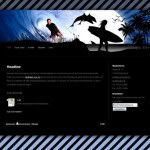
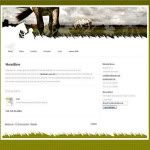
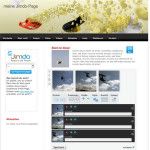
Jimdo is a free webhosting program that makes web-building an easy task for a webmaster. Learning html is not necessary to create a website. With Jimdo's AJAX-based webpages, designing a website is just a piece of cake. Even those who have no background on making website will find it very easy to use.
To start on Jimdo you need to sign up for an account and get your own sub-domain. You can then log-in directly to your webpage without even visiting the main Jimdo website. Yes, you can directly visit your web url and edit your webpages. If you're the admin of the subdomain you can directly log-in by just putting your account password.
Sample Webpage background designs:


Having a Jimdo account will give you access to tons of artistically designed web templates available. Choose from dozens of theme with neat webpage interface. Check also, the different layouts that you can choose from. You can either have a 2 or 3 column sidebar, a menu bar on the top page or how about a floating main menu for your page? With Jimdo the possibility is endless! Everything is customizable and even photos can be arrange perfectly on each page. You can even make a photo gallery of your own. Not to mention the neat background gradient and designs that are stored in their vault.
So if you think making websites is a pain on the back? Well, think again-- Jimdo will take that burden from you.
Summary:
1) Sign-up and get your own account and sub-domain.
2) Enjoy their professionally designed templates and layouts.
3) Create your own photo gallery if you want to.
4) Have fun designing with Jimdo's user-friendly and neat interface.
5/9/08
Generate your Own Website Thumbnails with ShrinkTheWeb

Sample thumbnails of Toinker:


ShrinkTheWeb generates the latest image of the website submitted on their database. They are perfect for programs that will use thumbnails to enhance their visual appeal to the public. A good example is for web directories, putting thumbnails of listed websites will make it more appealing. Also, placing thumbnail images before those long words and links can make search engines a user-friendly tool. Lastly, for those bloggers who want to show detailed images of the program they are reviewing, putting thumbnails will make their readers understand the whole thing better. No matter what the program is, thumbnails can be a very powerful add-on for blogs and websites.
5/4/08
Enhance Your Blog Promotions Using Web 2.0 Badges
If you have been blogging for quite sometime now, you may have noticed that there are bloggers that offers various freebies in their blog. The catch is, your visitors will mostly likely come back to see development and results of the promotion. Unquestionably attracts a pool of interested individuals that want to get their own fair share of the prize. A perfect way for driving more traffic to your blog. Plus, those people who are satisfied with the contest may keep on coming back to check for the latest promotion available. Again, it maintains your dose of daily traffic and this time with more regular viewers, thus making your way to popularity. Now, if you're one of those bloggers who used this kind of strategy, then why don't try Web 2.0 Badges to attract more participants.
Web 2.0 Badges is a set of free ravishing pre-designed badges best used for giving acknowledgement to contest, promotions, membership certification, 'Beta' message for websites on beta stage, and the likes. The designs are eye-catching with several styles to choose from. Background color can be customized with their online generator. Other essential elements like font type, size and color can be edited too. Even the angle and the X and Y coordinates are highly customizable, giving full control on your own prefence.
Sample of generated badges:
Creating a badge does not require too much time and effort. Producing one, only takes a minute or two to finish. The user-friendly online generator will do the load of work and you don't need to be a tech-savvy to familiarized the process. Thus providing you with ease on every step to take on designing.
Sample of pre-made designs:

You may find the newly created badges cool, but that's not the only thing that this program can deliver. For big fans of bookmarking sites like Digg and Del.icio.us; search engine giants like Google and Yahoo!; and for photo and video sharing program like Flickr and Youtube, you better try the pre-made designs. Try this one if you have no time to spend for designing your own.
Badges are popular trend in the web nowadays. So if you don't want be left behind over cool stuff, then be sure to have one.
Summary:
1) No registration needed to start using Web 2.0 Badges.
2) Choose dozens of available pre-designed themes or start creating from a scratch.
3) Try their ready made themes available on their vault.
4) Use your badges on promotions, contest and 'Beta' message on your blogs or websites.
4/21/08
Customized your Pics with Image Chef
There is something on Image Chef that made me keep coming back on the site all this time. I just love the fact that this photo-editor program can make images like no other site(as I've seen so far) can deliver.
So, what makes Image Chef unique? I guess its their pre-made designs that can be customized, merge with your preferred photos and can be formatted with text you want to appear on the screen. The whole process is so simple you don't even need to be a photo-editing expert to make your own. The site was design to give quality features and easy step by step procedure for their users.
Example of Frame Style:
There are various features you can make use of your uploaded images on Image Chef. Perhaps my favorite, are the pre-made photo frames, where you can put your own photo to appear with your choosen style. This is a great tool to personalize your own logo for your blogs or websites. Try also their animated image remixer, where you can combine two or three images plus you have the option to add text messages between its animation. Other features include a banner maker, that has premade templates where you can customized your own animated banner whether it is a leaderboard(728x90) or the standard size(468x60). Lastly, are the stock photos on their vault, they can be customize if combined with the designs created by the users of Image Chef. If you want too, you can also make your own design with their photo editor and share your works with other users. The bounderies are unlimited, you can make as many designs as you want.
Example of Popular Symbol remixes:
Transfering of images is as easy as click away. The site is connected to different photosharing websites and blog hosts, or you can also put them on your social network communities like MySpace, Facebook and Friendster.
Example of customized symbols:
So if you need quality images for your blog or website, let Image Chef take care of the rest. The program's user-friendly features can light up the loads and dull moments of designing. Why worry for something that can be done so perfectly easy? Try it and have fun with Image Chef.
Summary:
1) Sign-up to get started with Image Chef's free programs.
2) Choose from different features available on their site.
3) Customize your images and get advantage from their simple step by step program.
4) Download your created images instantly from websites like Blogger, MySpace and Photobucket.
4/10/08
Customize your Blog Signature with IMGText
Just searching for a while over the web as I always do everyday, I ended up browsing this fascinating site that create text images. IMGText looks interesting, it converts simple text into dynamic images. It's main purpose is to create a signature or what they call "sig" or "siggy" for both forums and blogs.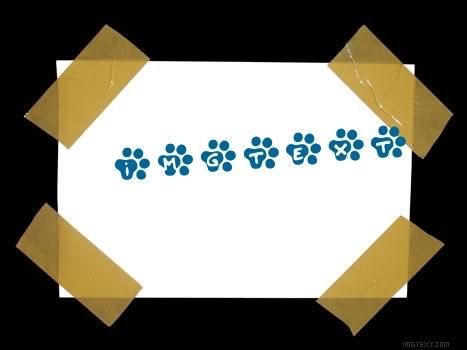
The program is so simple to use, a little time spent experimenting and exploring can help you familiarized it's different features. IMGText can make great looking images, that can be use as buttons, logos or just plain message posts. There are dozens of features that will improve your simple text image into a better one. To begin with designing,you are given a choice if you will start from a scratch or choose their ready-made templates available. The Templates has cool designs and somehow helpful if you want a not-so-complicated images. If you choose the Canvas, however, you are redirected to an image editor that has the basic elements of designing. Although you can see simple design from the start, but later you are given the freedom to upload your own background image or not-- that depends on your own preference. More or less, there are 100 font types both common and never before seen from other programs. These font types has categories too, from 3D, edgy, futuristic, handwritten, fancy, creative and more. The height and width of background, font size, colors and shadows of the images are highly customizable, so you can create sigs as you wanted it to be. Aside from that, you can gain full control on the image's layout from its text, margin, borders and watermarks. Cool huh?!
If you have a blog and you want to have your own signature placed on each post you made, then you'll definitely need to try this program. A sig in blog can surely add a authoritative impression to your post and even drive your reader's attention. Try ImgText and create your own sig now. Oh, did I metion that it is 100% free? Yup, it's free for everyone.
Summary:
1) Create your own "sig" or "siggy" with this highly customizable image text editor.
2) Experiment with different font types to choose from.
3) ImgText is 100% free and can easily be downloaded to your computer or photosharing host.
4/4/08
Splashup: Your Online Photoshop Alternative
Perhaps the biggest frustration I experienced on the process of web building was the designing. It took a lot of time planning and creating your background, layouts and other stuff that are somewhat related on designs. I must confess, Im not that good on designing myself and having no photo-editing program of my own, I just rely on other images that I could find online. There are times that I wish I have Adobe Photoshop,I know that having one may greatly improve my own designs. It took me years trying every site I could find that promised good performance from their programs. Some are cool and somehow helpful. While others lack the elements of what Im really looking forward to. But those days are over since I read about Splashup from a magazine.
Formerly called Fauxto, Splashup is a photo editing site that delivers powerful tools for your own convenience. Created by Faux Labs Inc., this program somehow resembles Adobe Photoshop. Dozens of features can be use that professionals and newbies will surely love. One great feature of this fascinating program is its ability to edit multiple images at once. You can blend, filter, put layer effects on images, experiment on different brushes available and even edit text on it. Also, Splashup integrates seamlessly with top photosharing sites like Picasa, Flickr and Facebook so you can save and upload images easily. Aside from that, even the program has it's own photosharing feature so you can save your work in progress.
So stop dreaming about having Photoshop of your own. Try Splashup to quench your craving for a photo-editing program.
Summary:
1) Just sign-up on Splashup to get instant access on their free program.
2) Edit your images with dozens of available features.
3) Upload and save your photos on different photosharing site including Splashup's very own feature.
2/19/08
Create Tabs and Menus with Tabs Generator
If you have been satisfied with what Stripe Generator can make for your background then you're going to love Tabs Generator too. From the same people who made Stripe Generator, comes another service that will definitely help you from designing your website or blog.
Tabs Generator will let you create tabs for your blogs and website. There are dozens of style to test, from size to color and even it's curve radius. You can also choose what fill style do you prefer. It's either you have a full-colored background or combination of two colors. Next, you are given the option to choose the orientation of the tabs. It's either to choose top, bottom, left or right position of the tabs you created. That really helps especially for those people who pays much attention on their web or blog design. After you created one, you can now download your tab and it's ready to be used.
Tabs Generator is straight and simple to use. You will never had a hard time making your own. It's something that really give you a better design for your blog and websites.
Summary:
1) Create your own tabs and menus from Tabs Generator.
2) No need to sign up or anything, you can make your own design in an instant.
3) Enjoy experimenting with dozens of design you can possibly make.
2/17/08
Design Your Backgrounds with Stripe Generator
Having a new blog requires a lot of time designing and improving your own template except if somebody do the job for you. It just happened to anyone of us who really wanted to have a blog of aesthetic value. Choosing a background for example may not blend well with what you wanted it to be. On my other blogs, aside from Toinker, I want to put backgrounds that may suit to its main theme. So what I did was I searched on websites that may help me with this problem. Until, finally I found this interesting site called Stripe Generator.
As its name implies, Stripe Generator can let you customized your own background for your blog. Its so simple that anyone who have no knowledge on css and html can work with ease by just choosing their favorite colors and background styles. The site's user friendly interface can provide you a better way to choose your own design. For a very short time of combining colors and modifying your prefered style--and that's it, your stripe background is ready to use. Now, the program has been better than it was before with their new styles introduced on Your Stripes section. You can add a little twist of the older designs for a change.
Stripe Generator is easy to use, free and just a click away to have your own background design. Give it a shot I'm sure you're going to like it.
Summary:
1) No need of registration, you can start designing on Stripe Generator right away.
2) Easy to use and with no knowledge of CSS and html required.
3) You can combine your own preferred colors, theme and styles.
4) Enjoy new styles offered on their Your Stripe section.
12/1/07
Free-CSS: Get Blog Templates for Free
Have you ever wished that you could have a better blog template than what you're having right now? Have you tried to look online by browsing and seaching but still to have no luck? Then worry no more because Free-CSS can provide what you're looking for.
Free-CSS has tons of web templates designed to help bloggers and webmasters. As what the site name implies, it's all for free! Be charmed with they're design about food, business, arts, entertainment, gaming and lifestyle and more. Almost every topic that you can think of has it's own pre-designed template version. They only not offer templates but also different elements that may help build a better design. One good example is the CSS menu, that contains different icons and images that enhance your site navigation control. Another one is the CSS layouts, which give you control over the template arrangement. Here you can choose if you want a 2 or 3 division layout or if you want to put more page elements on the top or bottom--- it's all for your convenience. Now, if you are not an expert about CSS designing but you're willing to learn, then get an online lesson from the site's CSS tutorials, references and articles. You'll definitely going to learn a lot for sure.
Are you having enough yet? Try it out and get a fresh look for your own blog and site.
Summary:
1) Get loads of pre-designed templates free for download.
2) Have extra add-ons from their CSS menu.
3) Take control of your own template layouts.<
4) Learn about template designing with the CSS tutorials, references and articles.

 .
.